

Sortello: a Personal Extension for Claude, ChatGPT and Co.
Notes, tasks, tables and memories that Claude, ChatGPT and other assistants share, and that I share with the people around me.
A friend I’m on a road trip with asks their own assistant whether a cracked windscreen on our rental car in Croatia is covered, and it knows. The policy sits in the trip note I shared with them, PDF attached; their assistant has never seen a chat of mine, and ChatGPT on my phone gives the same answer.
That’s what I built Sortello for: notes, tasks, tables and memories that Claude, ChatGPT and other assistants read and write over MCP (these are the ones that work), and that I open on my phone. It’s an extension to the assistant, for personal use: the assistant does most of the writing, I read, fix and tick things off in the browser, and family and friends read the notes I share with them through their own assistant. Of course you can connect Notion or Asana instead; Sortello is smaller, more private, and holds just your own stuff.
Why not the assistant’s own memory
Claude and ChatGPT both remember things now, and for how I like my answers that’s enough. For things I want to keep, five things bother me:
- Nobody else can read it. ChatGPT keeps memory out of group chats and shared projects on purpose, so a friend’s assistant knows nothing about what I told mine.
- It changes silently. When a memory goes wrong or disappears, there’s no history to go back to.
- It stays inside one assistant. Gemini and Claude can import from ChatGPT, once, one way; nothing stays in sync afterwards.
- It’s a sentence, not a record. A memory can hold “we spend a lot on sports”, not 41 rows with a sum at the bottom.
- “Remind me” in a chat usually does nothing three weeks later.
Here’s what Sortello does about each of them.
What I use it for
Plans with other people
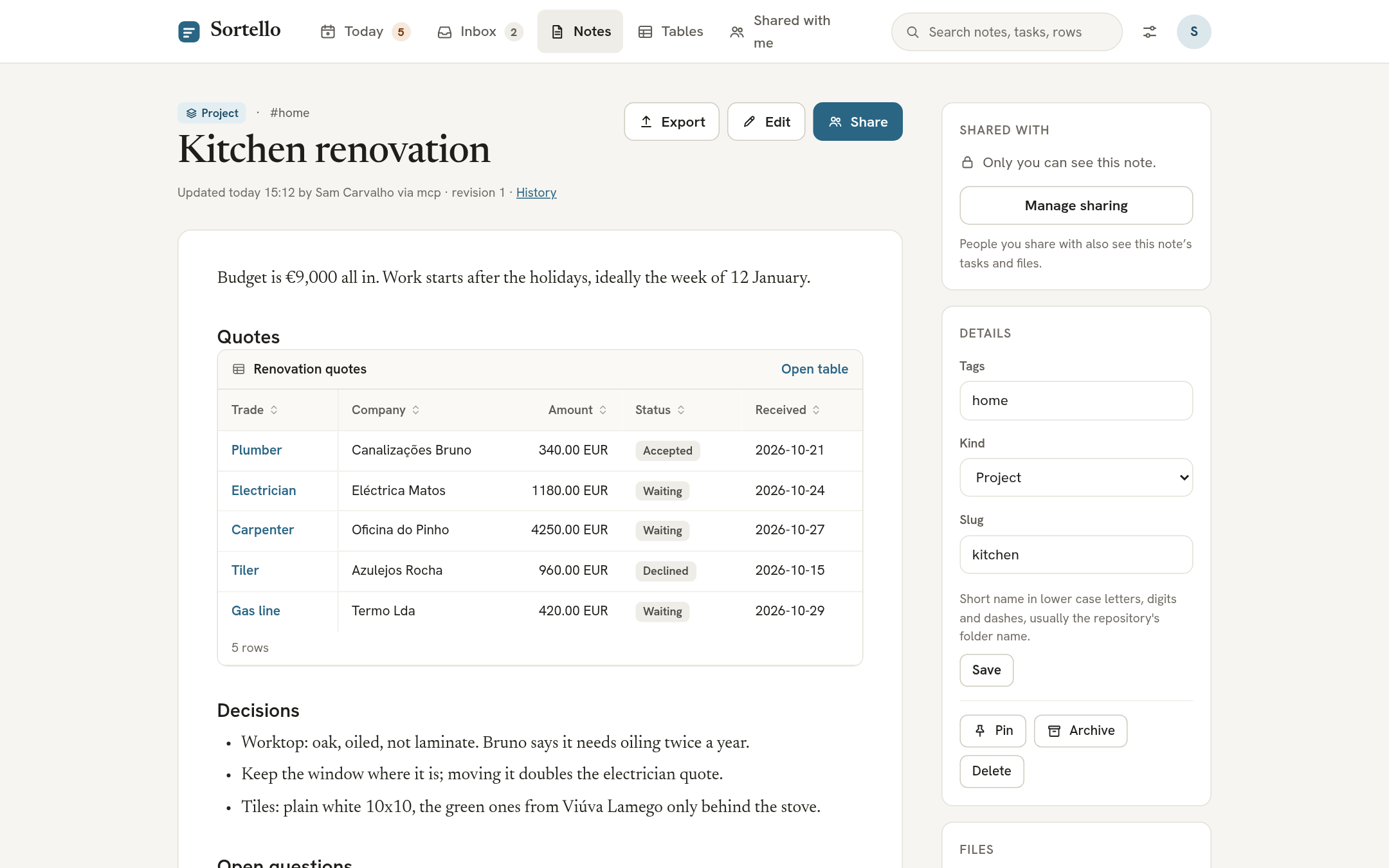
The practical stuff lives in shared notes: the trip plan with the insurance details, the flat’s boiler service record and the landlord’s number for whoever is house-sitting, PDFs attached. The other person uses their own account, and a memory I share with them shows up in their assistant’s memory index, marked as mine. A note can be shared by email to read or to edit, or as a read-only link for someone without an account. Someone with edit access who connects their own assistant can write to it too, so two people’s assistants can plan the same trip in the same note. A share is offered until the other person accepts it, and if an assistant suggests sharing something, nobody gets access until I confirm it in Sortello.
Memories that move with me
Memories are notes as well, one per subject: who people are, what I prefer, what’s going on with a project. The assistant loads my profile and an index of the rest at the start of a chat. Because they live in Sortello, not inside one assistant, Claude and ChatGPT read the same memories, and I can open and correct any of them in the browser. Fix a fact once and every assistant picks it up next time.
History: who changed what
Every change to a note is a revision that says who made it and through what: “by Franz via web” when it was me, “via mcp (Claude)” when it was the assistant. When an assistant tidies a note and drops the one line I needed, I open the history, read the diff, and undo that one change. Free keeps 30 days of history, Pro a year. Tables and tasks don’t have this yet, beyond an undo right after an edit.
Tasks with reminders
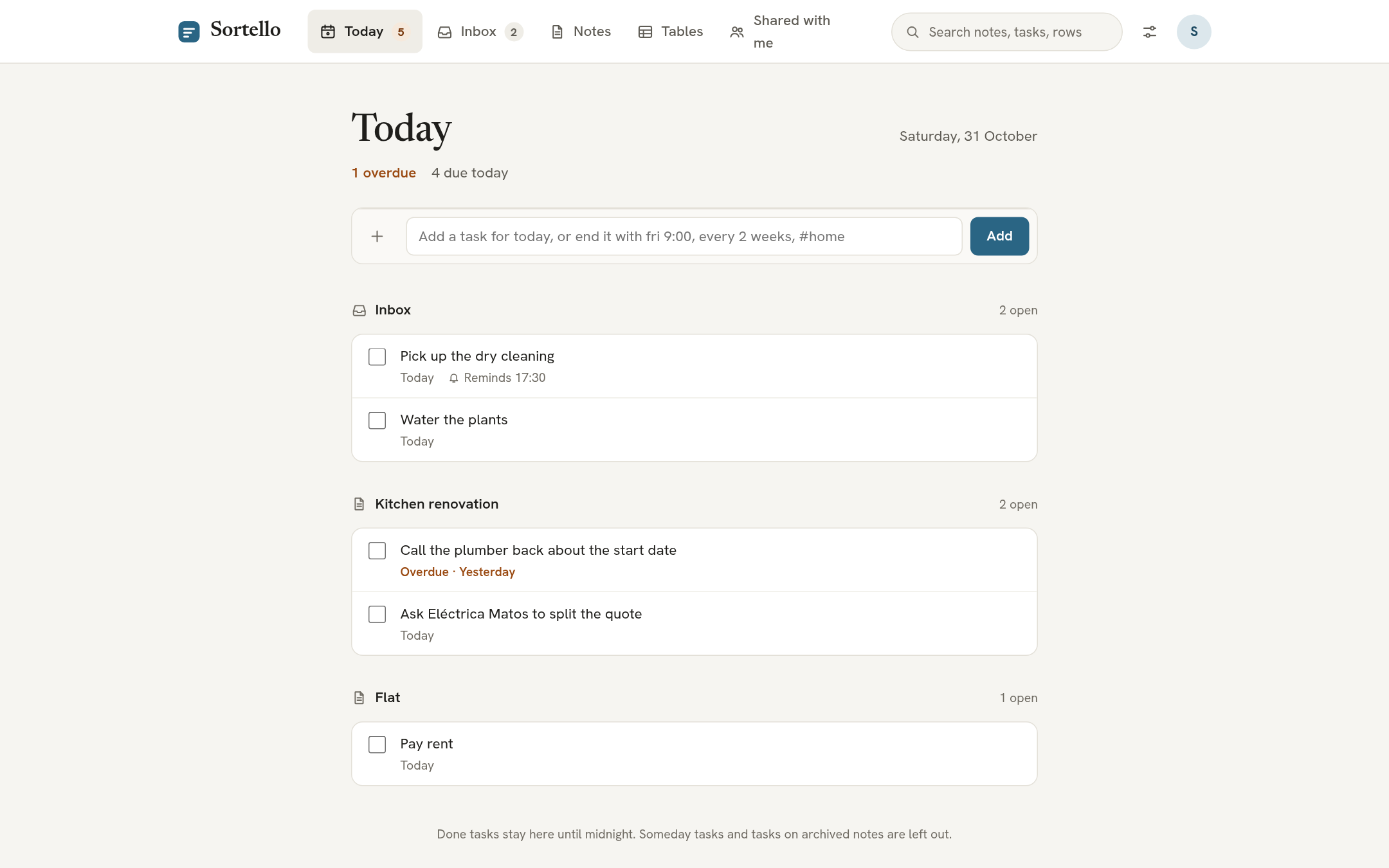
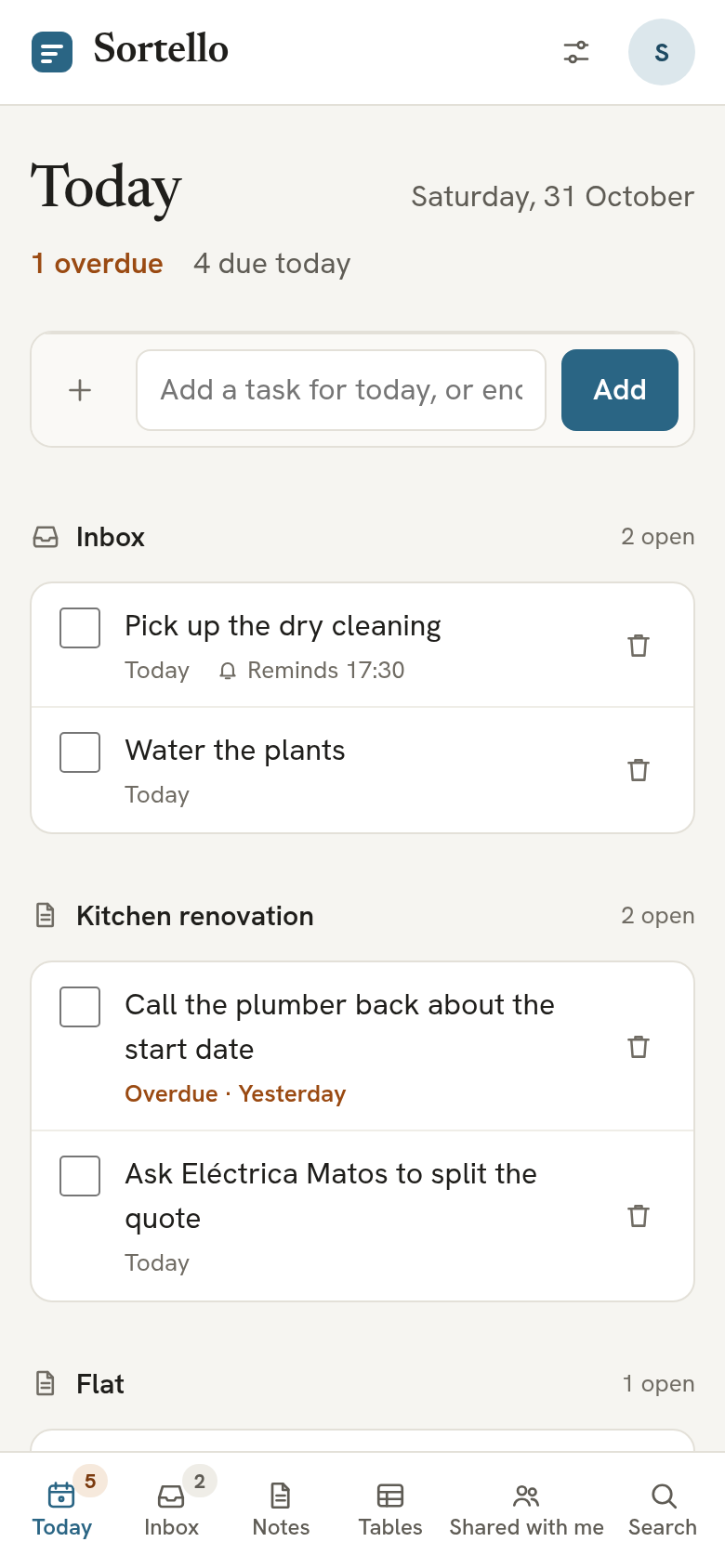
Tasks go in the Inbox or on a note, with a due date, a reminder and a repeat when I want one. Reminders arrive on my phone and laptop as push notifications, with Done and Snooze on the notification. “Remind me to call the landlord tomorrow at 9” in a chat creates the task and the reminder.
Tables for everything with rows
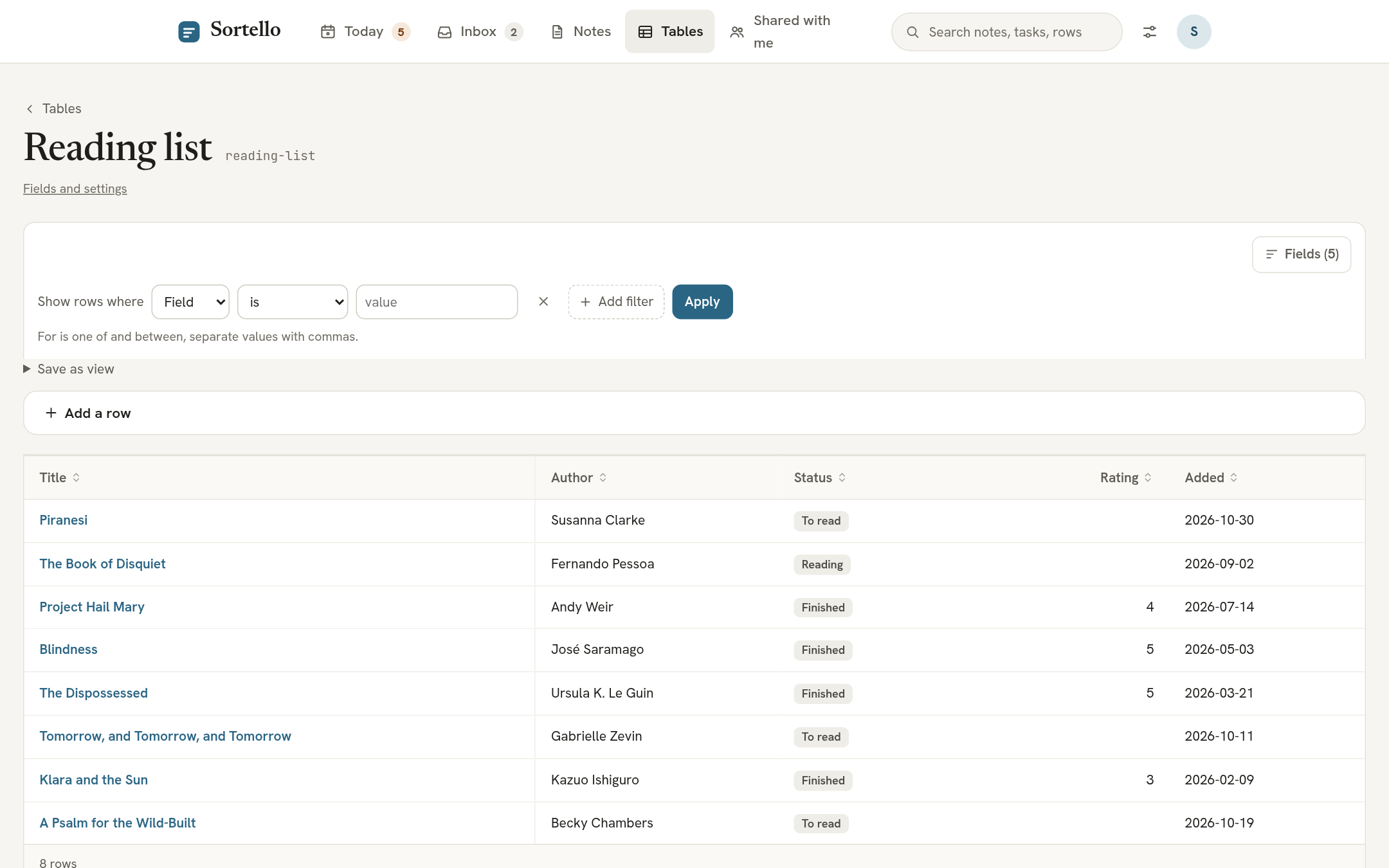
Tables take thousands of entries, with typed columns, filters and totals: expense tracking, a party guest list, flats to view when house hunting, comparing loan offers. The assistant adds rows as you go (“add the €42 dinner to expenses”), and can count and sum them when you ask.
Plans for later
I park things I want to do at some point: a restaurant to try, a museum, a day trip, a book. Later I ask “I’ve got two hours free and I’m in Baixa, what’s on my list?”, and Claude pulls up what fits the time and the place.
What it looks like
Here’s a demo account (the data is made up). Click any screenshot to enlarge.
Connecting an assistant
Settings shows the address to add, https://sortello.com/mcp, with steps for each client:
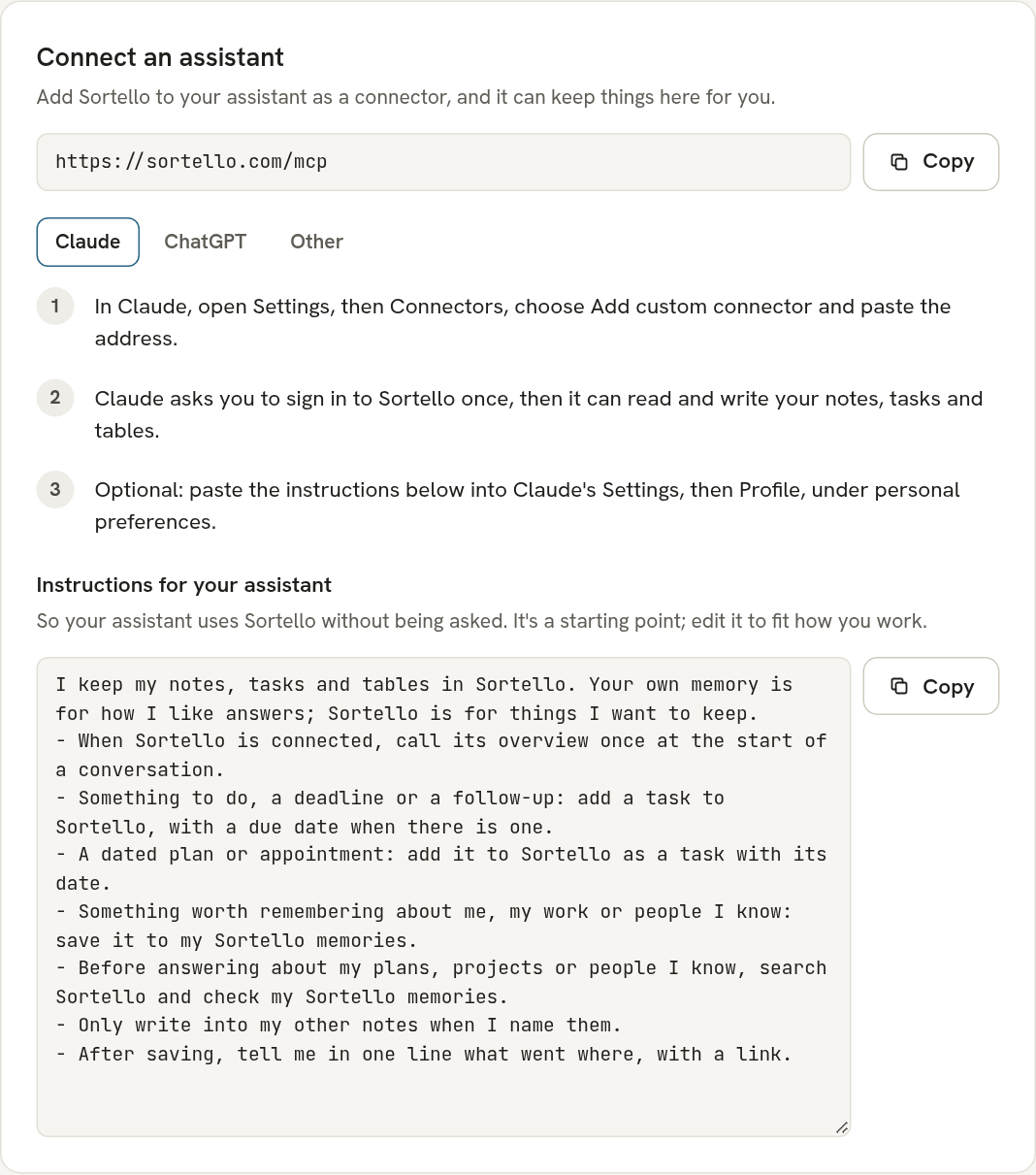
In Claude it’s Settings, Connectors, Add custom connector. In ChatGPT it’s a custom MCP server (whether it can write as well as read depends on your ChatGPT plan). In Claude Code it’s one line:
claude mcp add --transport http sortello https://sortello.com/mcp
The assistant asks you to sign in to Sortello once. Settings also has a short block of instructions to paste into the assistant’s preferences, so it checks Sortello at the start of a chat and saves tasks and memories without being asked each time. It’s a starting point, meant to be edited.
Who it’s for
One person and the people around them: a household, a couple of friends planning a trip. It isn’t a team tool. Everyone who wants their own assistant to read a shared note needs an account and a connector of their own, which is a few screens of setup, and in ChatGPT whether the assistant can write depends on the plan. Appointments stay in the calendar; mine are in Fastmail.
Pricing
Free covers the whole product with some limits: 500 MB, 3 tables, 3 public links, 30 days of note history. Pro lifts them (20 GB, 200 tables, unlimited links, a year of history) for €60 a year plus VAT. No ads, no tracking, and Settings has an export of everything as one zip, and a button to delete the account.
If you try it and something’s missing or broken, tell me.